




MIXPrep
By The Mix Academy
90 minutes of session prep.
Done in seconds.
Drop in your multitracks. MIXPrep names every track, gain-stages your session, and detects the key and tempo automatically. Open your DAW and mix.
And MIXPrepPro takes you past prep
A real session: dropped in, prepped, and sent to Pro Tools.
Built for engineers who get handed multitracks. If sessions land in your inbox as ZIP folders full of Audio_14.wav, this page is for you.
macOS 14+ (Apple Silicon) · Intel Mac & Windows in beta · 30-day money-back guarantee

I'm David Glenn, founder of The Mix Academy and a multi-platinum mix engineer, 20+ years behind the console on records past 8 billion combined streams, for Dr. Tumi, Redimi2, Blanca, Christine D'Clario and Evan Craft. Teaching mixers since 2011. MIXPrep is the prep tool I built for my own sessions. Now it's yours.
Where you've seen my work
The Mix Academy · The Pro Audio Files · Recording Revolution · URM Academy · Sonic Scoop · Sonarworks · And more
Every session starts the same way: a download link, a ZIP file, and a folder full of Audio_14.wav, bounce_v3_FINAL(2).wav, and tracks you have to solo just to figure out what they are.
Before you touch a single fader, you spend 60 to 90 minutes renaming, sorting, gain-staging, and organizing. Every track arrives at a wildly different level. You open your DAW already annoyed, still searching for the key, the tempo, and the problems hiding in the session.
MIXPrep gives you back the first 60 to 90 minutes of every mix.
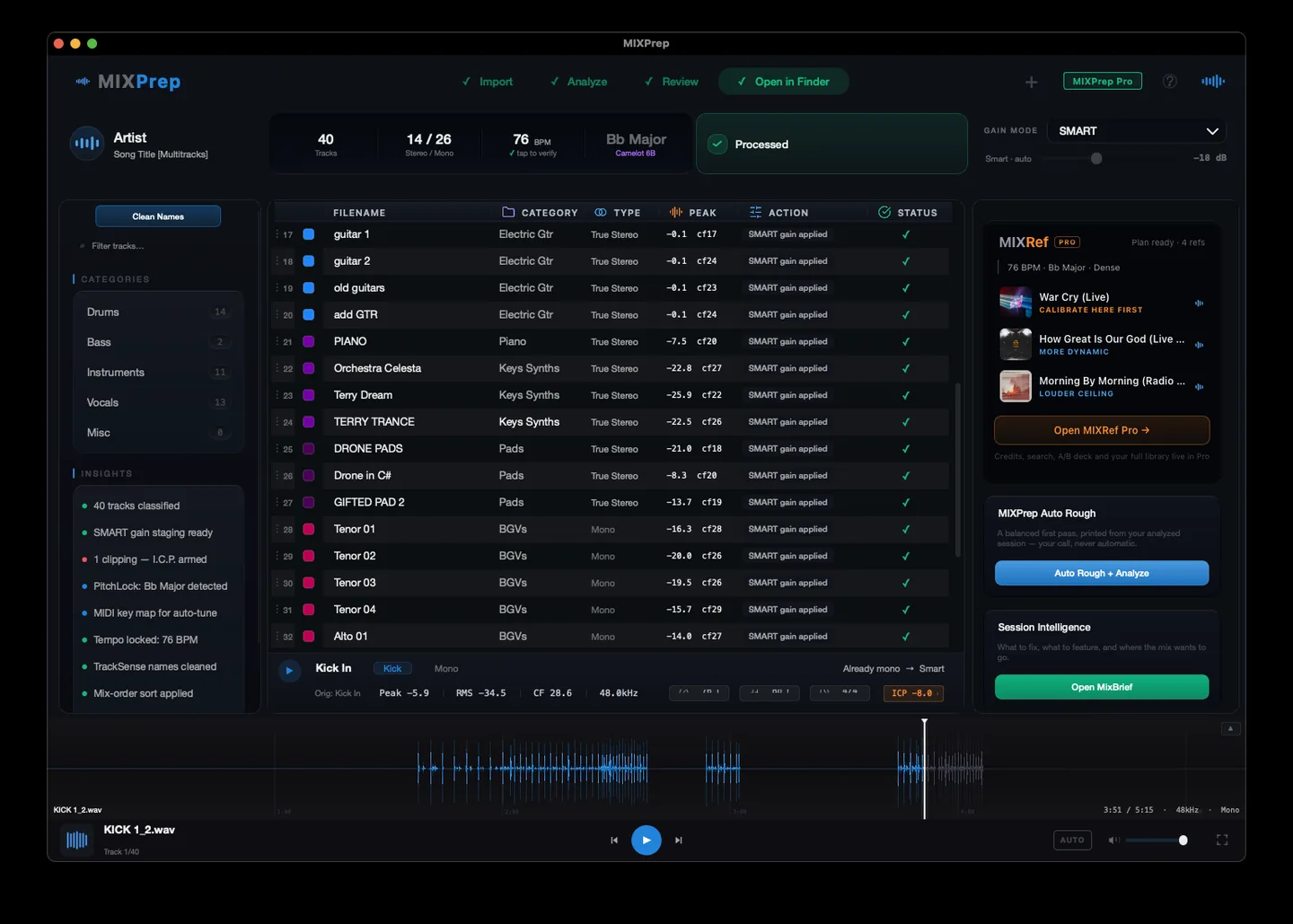
Drop in a folder. Get clean track names, gain staging done your way, automatic key and tempo detection, and a complete session breakdown, before you open your DAW. Start mixing while the coffee is still hot.
This is one screen, before and after MIXPrep. Drag the handle and watch the mess turn into a session you can actually work in.
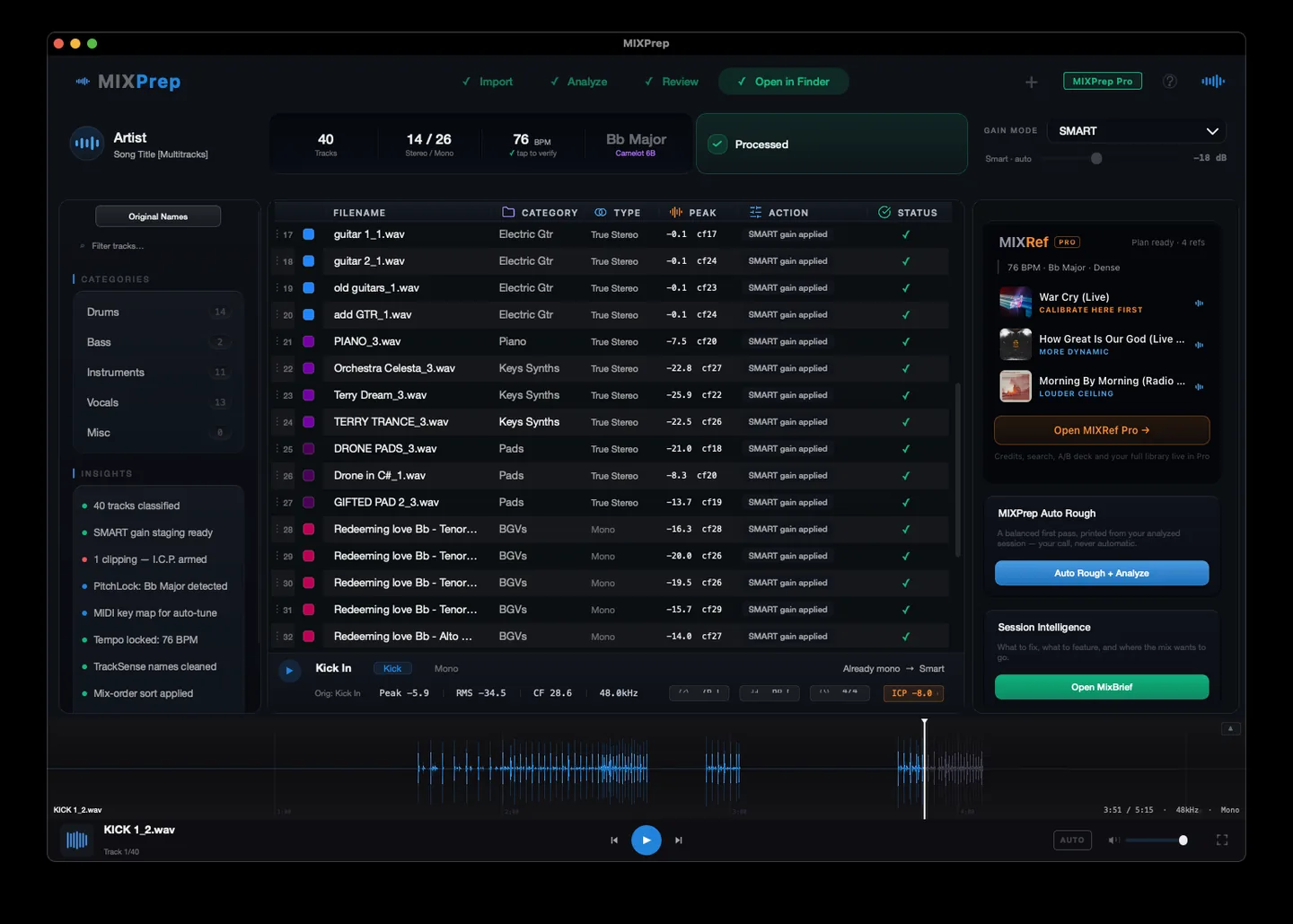
No menus to learn. No setup. Here is the whole flow, start to finish. (The full walkthrough is playing up top.)
Any folder of audio multitracks, or a zip file. WAV, AIFF, FLAC, MP3. Any sample rate, any bit depth.
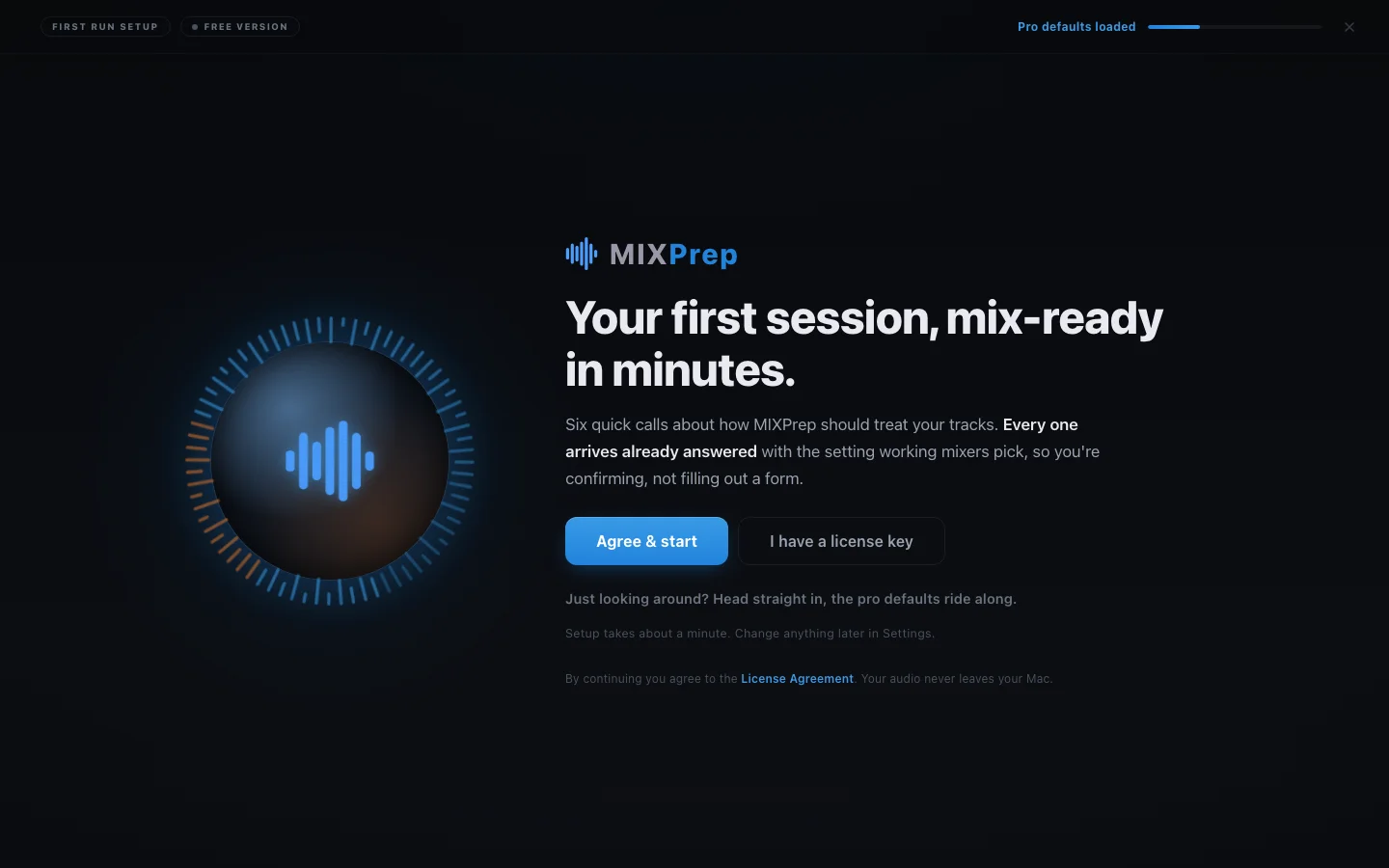
Drop a folder and MIXPrep takes it from here.
Vocals, kick, snare, room mics, pads, and 34 more categories. TrackSense reads both the filename and the audio itself, and turns names like "Lead_Vox_v3_FINAL.wav" into a clean "Lead Vox" instantly. Pure placeholders like "Audio_Track_14.wav" stay flagged with a NO NAME badge until you take a 2-second listen and label them. We won't make up a name we don't actually know.
Not one flat target for everything. Your kick gets different headroom than your room mic. Your vocal gets different headroom than your bass DI. Category-aware gain staging, calibrated from real sessions. Load a reference mix you love and MIXPrint captures its per-category balance as a reusable template.
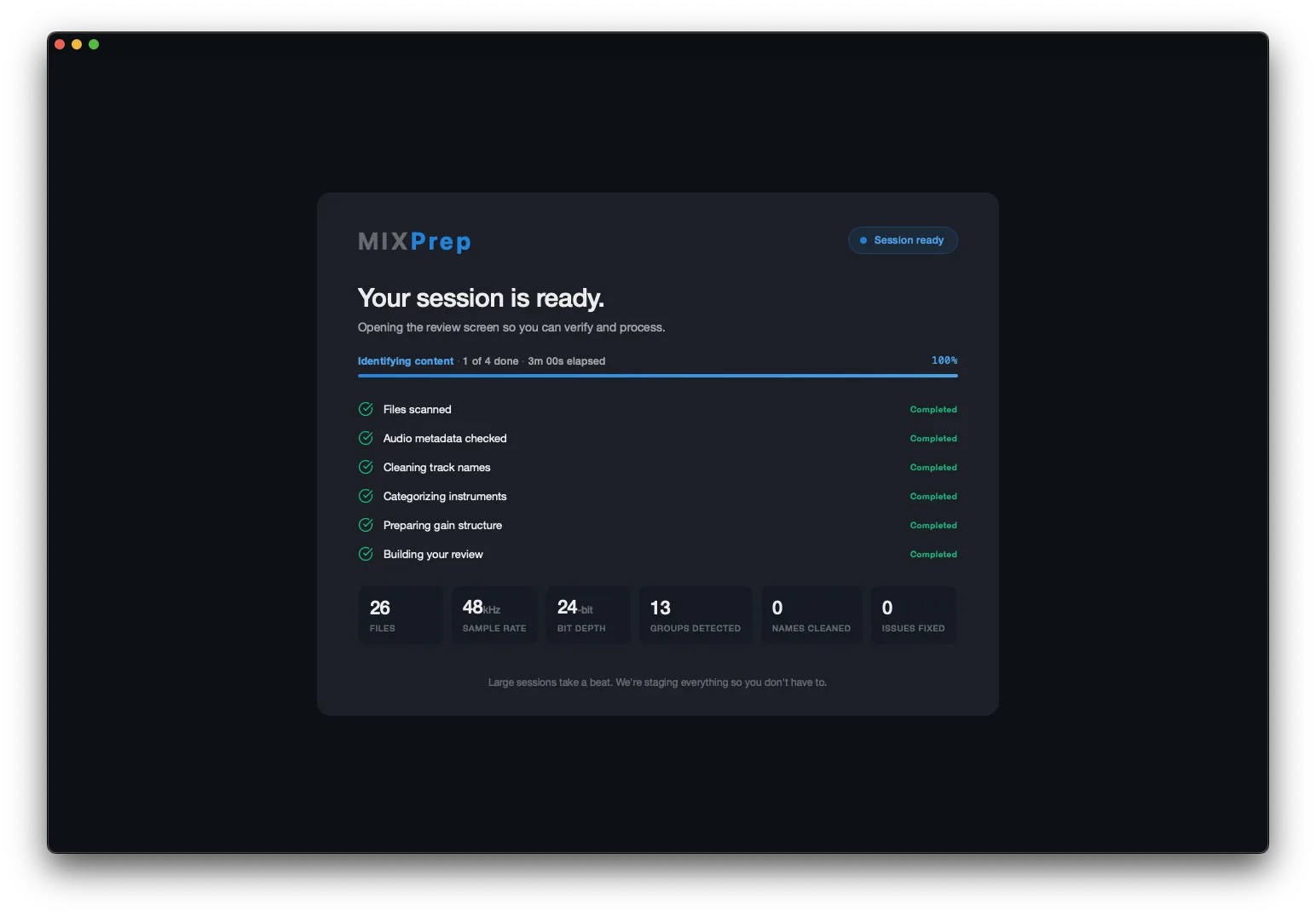
Every stage handled automatically, gain structure included, before your review opens.
Key, tempo, time signature, and the full track count by category, detected automatically. You know exactly what you're walking into. (The full MIXBrief report, with mix priorities and an exportable checklist, is part of the Pro layer.)
Your multitracks go from a pile of mystery files to organized, gain-staged copies, with the key, tempo, and track breakdown in hand. In minutes instead of the first hour.
No two songs on a record mix the same. That is the job, and it is the part worth your ears. But the scaffolding underneath is identical every single time: the same routing, the same track order, the same hard-won starting balance you already signed off on. That is the part you should never have to build twice.
The balance carries. The automation does not. Song two still gets its own rides, its own moves, its own life. You are just not starting it from an empty session. Pro Tools today; more DAWs are coming as we grow.
"I'm buying MixPrep at the Pro Founder level. Take my money, I'm not even looking for a discount."
Ben Rico · Audio engineer + producer
"I dropped a 90-track session in and had it organized and gain-staged before my coffee was done. This is the part of mixing I always dreaded, and now it's gone."
John S. · Mix Engineer, Nashville
"The category-aware gain staging alone is worth it. Most things land where they should before I even open the session. I start mixing instead of fighting levels."
Brett J. · Freelance Mixer, Worship + Pop
"It's honest. When it can't name a track, it tells you instead of guessing. That's the thing other tools got wrong, and it's why I trust this one with real sessions."
Adam B. · Recording + Mix Engineer, Rock
"It has been an absolute privilege to beta test the Intel version of MIXPrep and witness its evolution first-hand. The bugs are getting squashed, incredible new features are constantly dropping, and the brand-new GUI is both gorgeous and highly functional. It's an absolute game-changer for session prep!"
Jacki B. · Songwriter + Beta Tester
It started as the prep engine. It grew into a rack of instruments: prep, the send that builds your session for you, references, session intelligence, and MIXNotes. Here is what each one actually does.
Counted in the codebase. Not invented for this page.
Drop the folder. Every track recognized, named, and gain-staged for what it is, before your coffee cools.
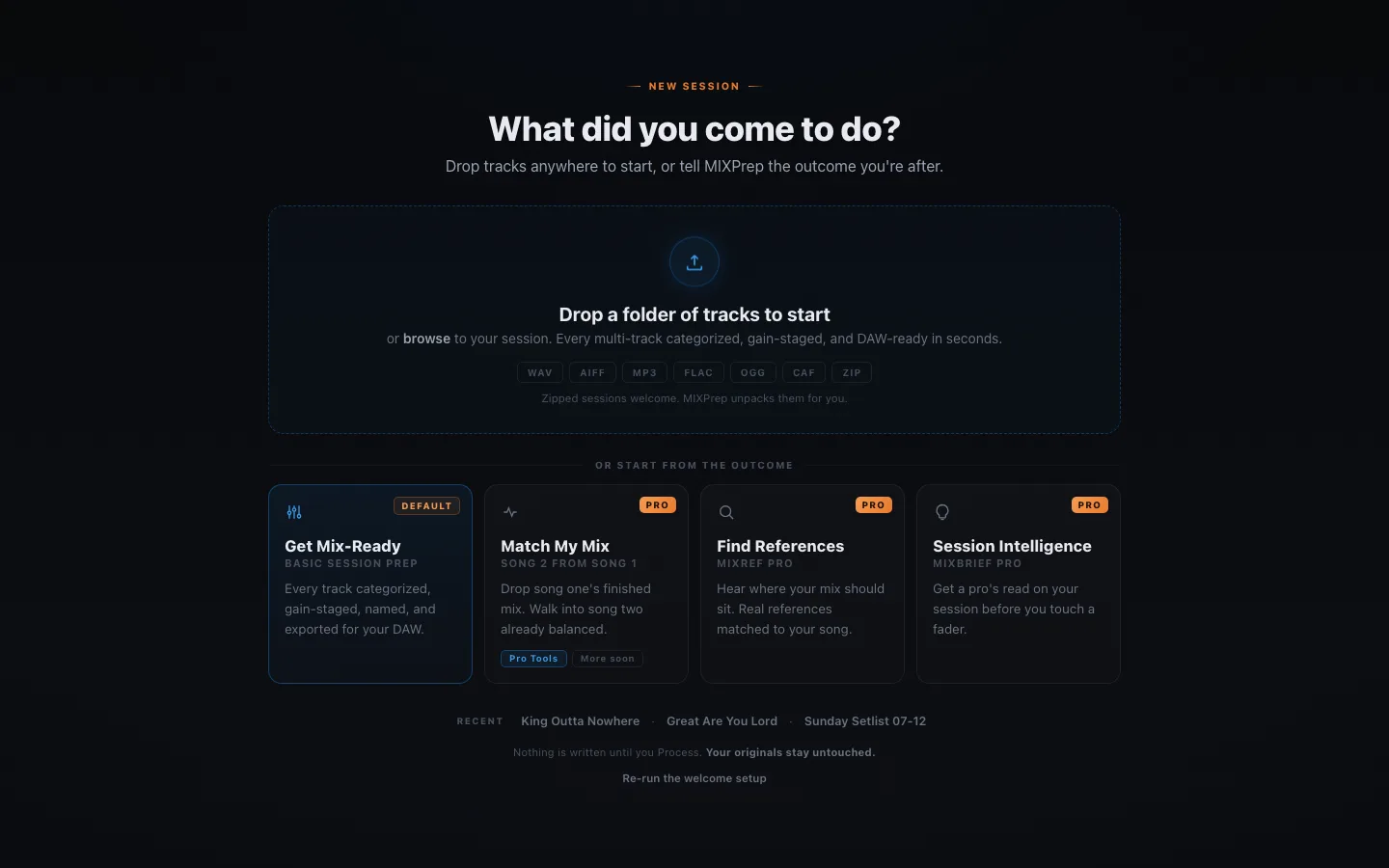
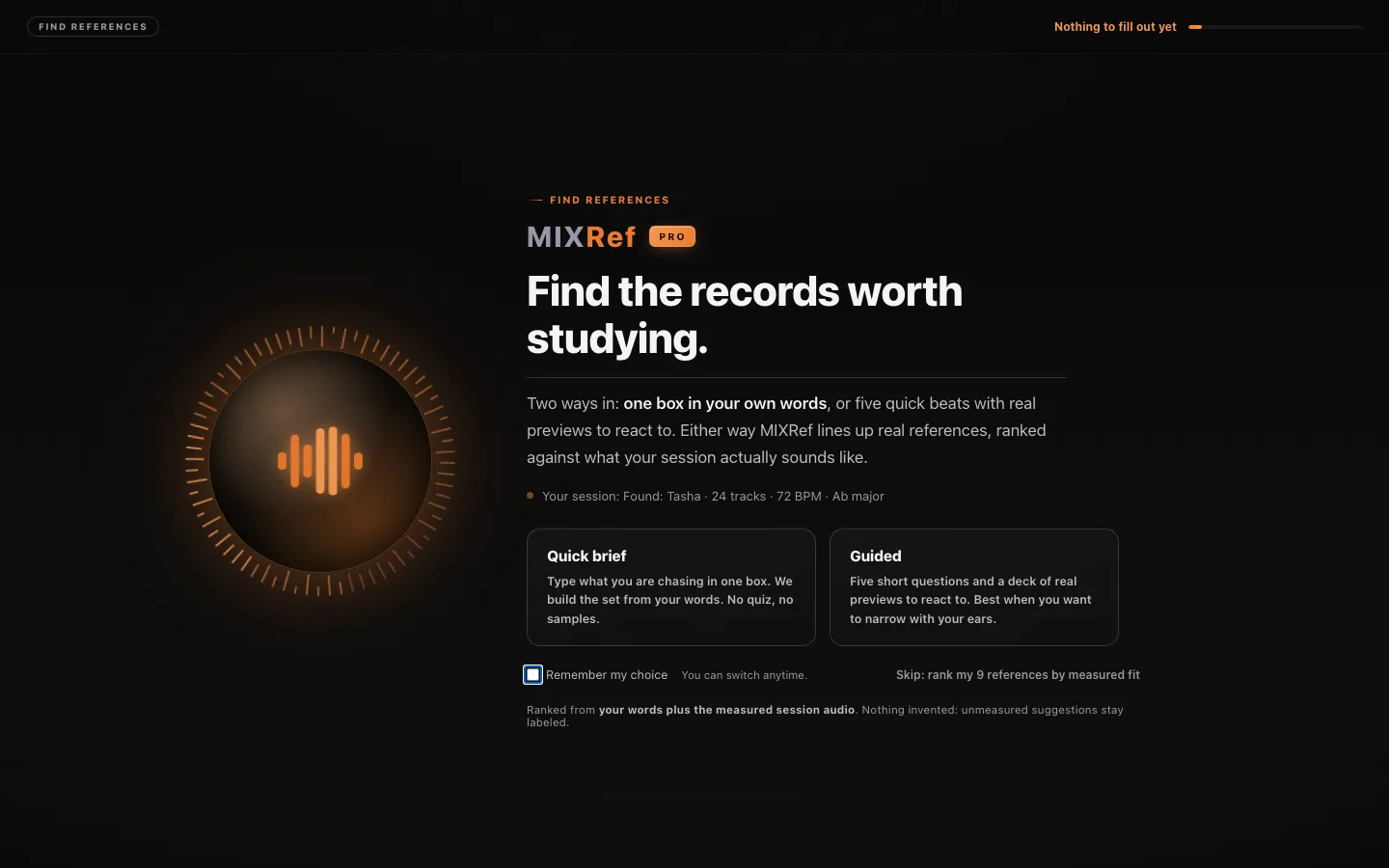
This is a real worship session ranked: real records, real artwork, a measured match score, and a plan for what each reference is here to teach you. It is structurally unable to invent a record, a credit, or an award.
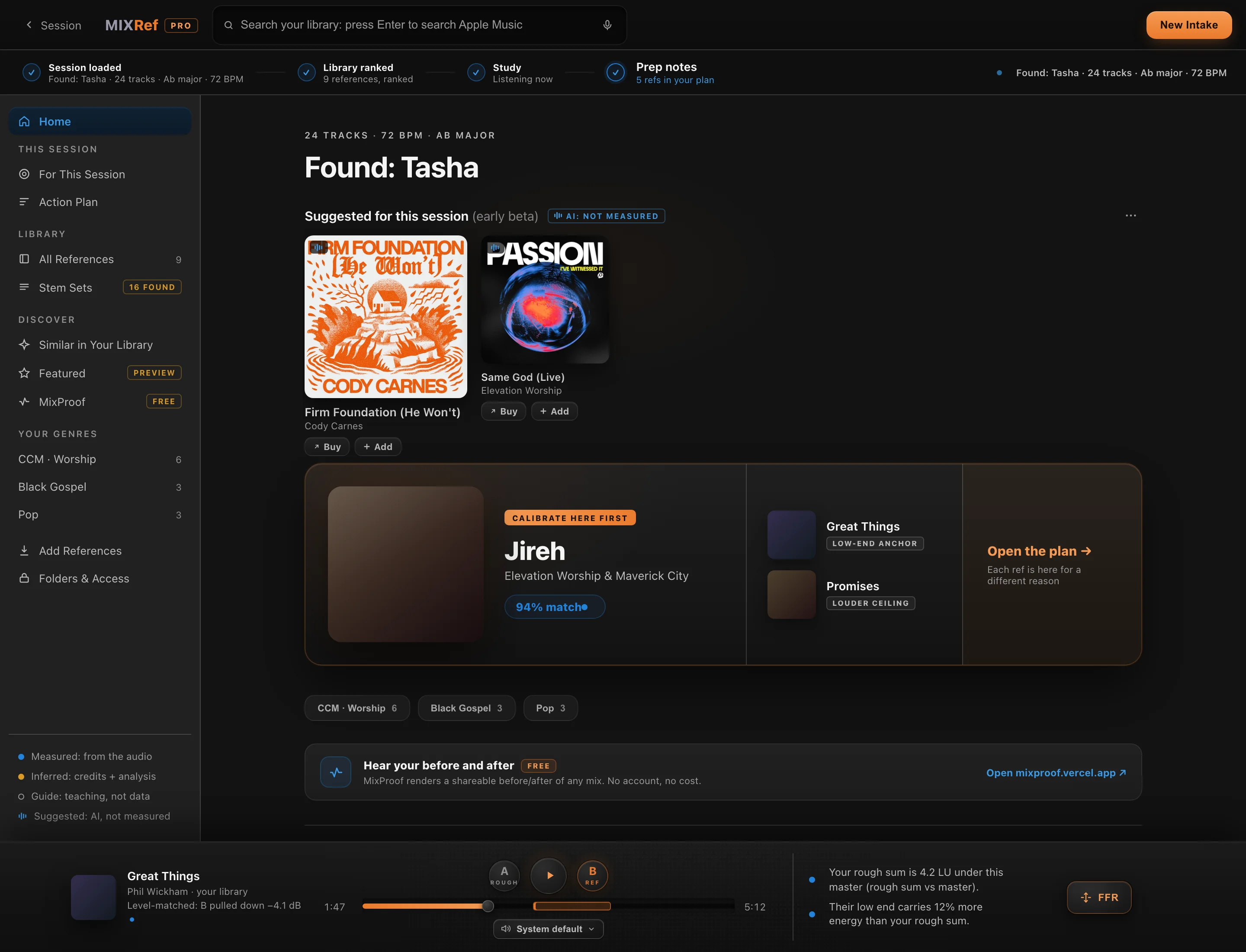 2 screens · click to view
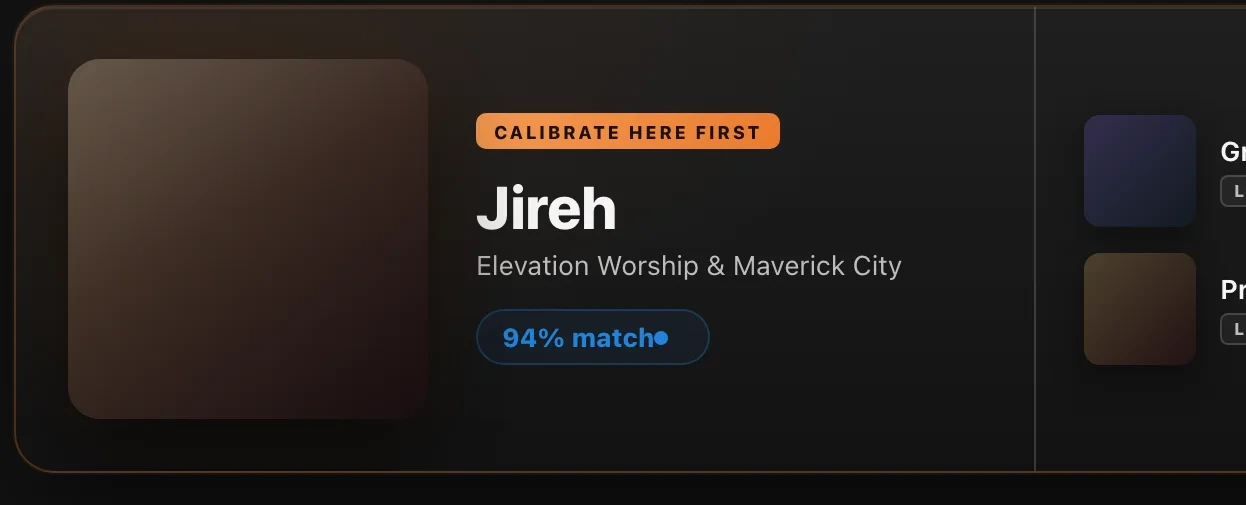
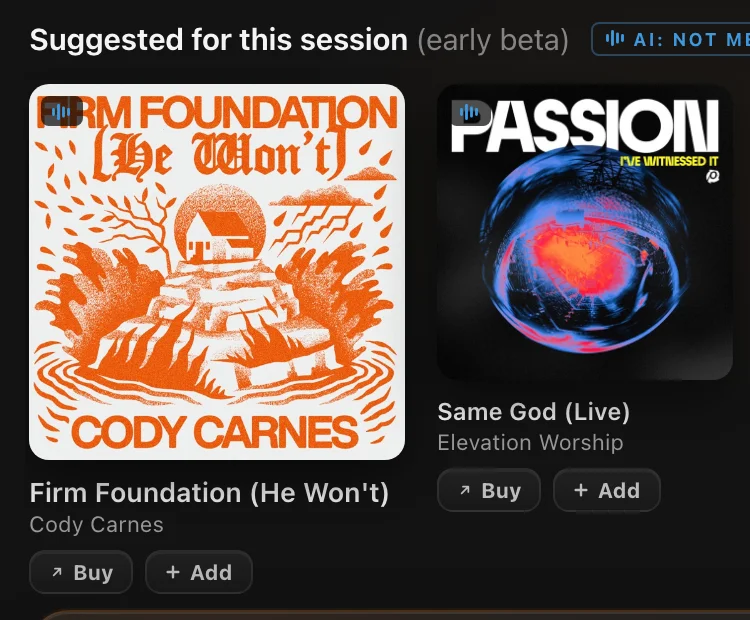

Behind every card: 688 verified credit records (a mixer credit is only badged confirmed when two independent sources agree) and 84 genre profiles that keep Black Gospel, African gospel, and CCM in their own canons. Default mode uses metadata and analysis only; your audio never leaves your machine unless you switch on Enhanced Mode yourself. Part of the Pro layer.
A senior engineer's read of the whole session, triaged: what's actually wrong, what's your call, and what MIXPrep already handled. It will tell you "not yet" when that's the truth.
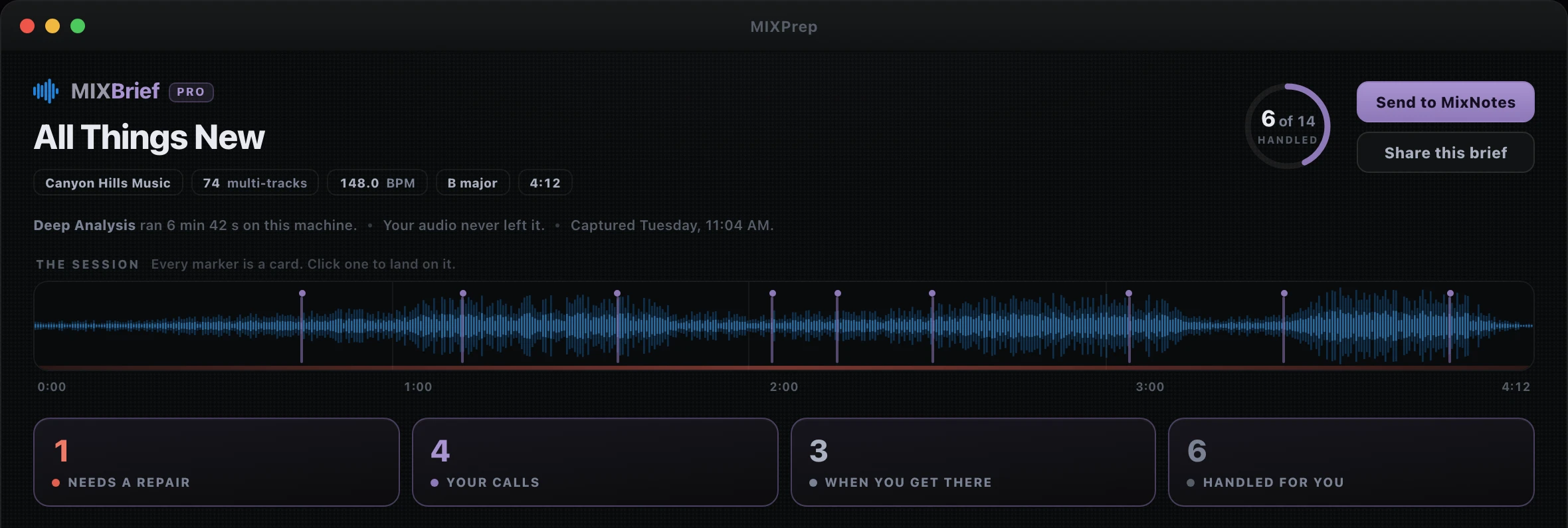
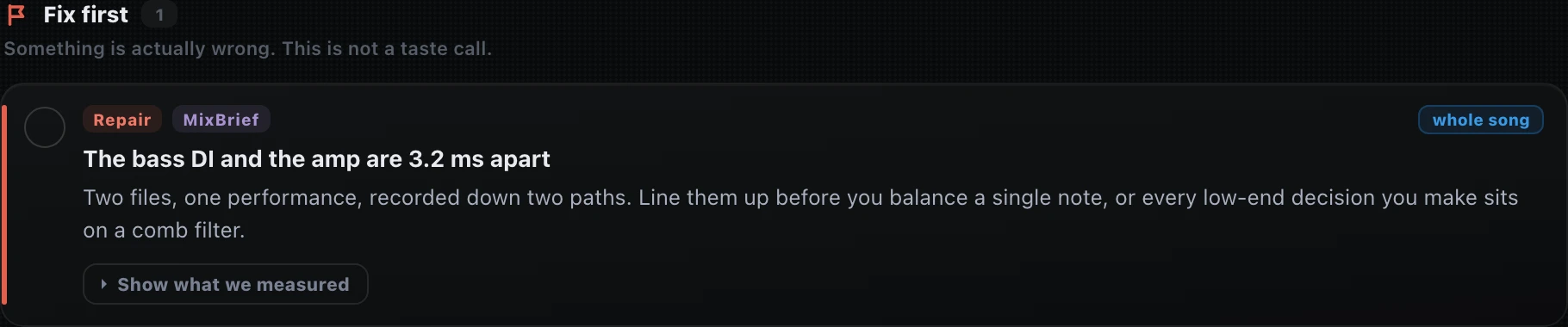


Part of the Pro layer.
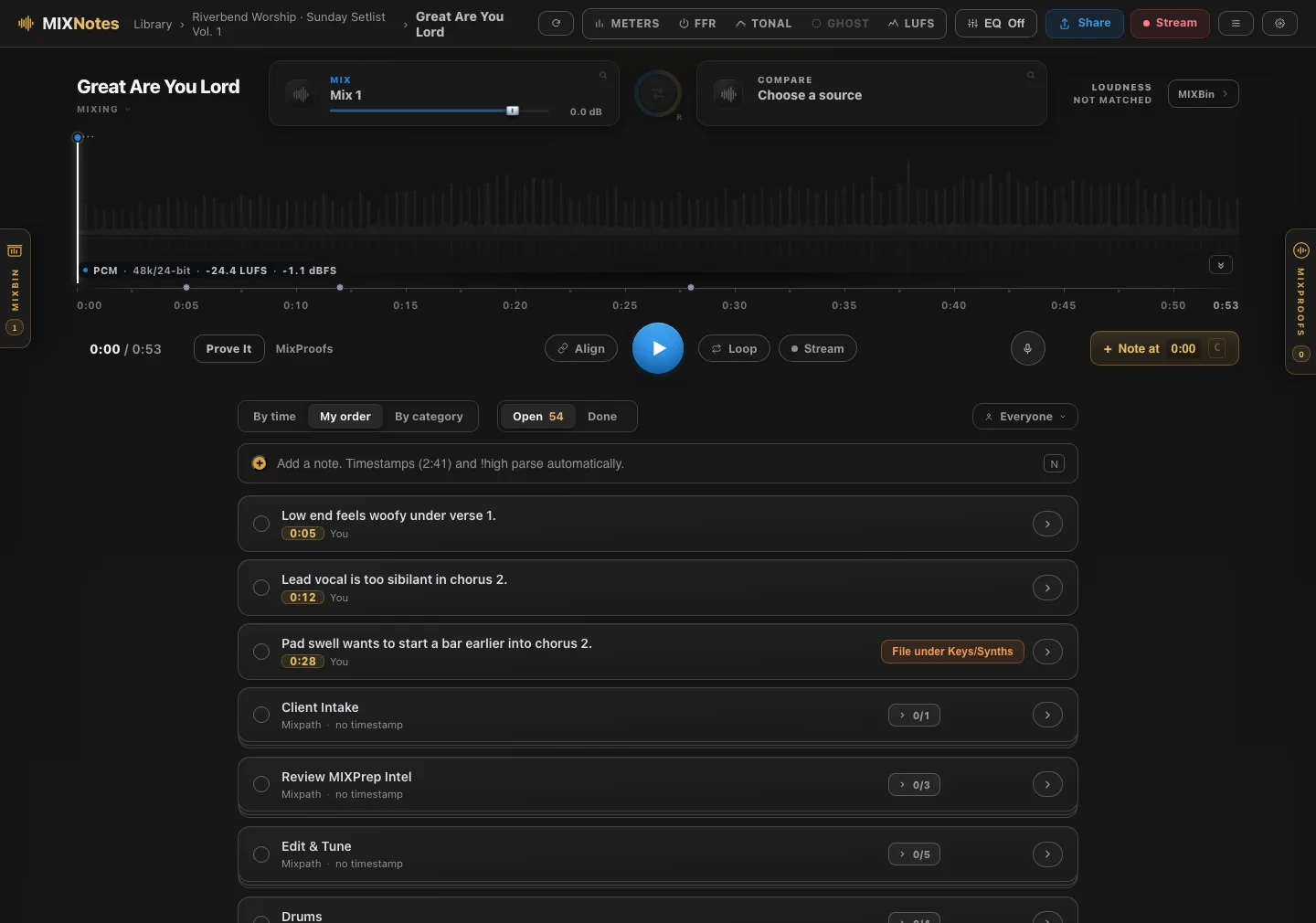
My notes lived in about five different places. One app for client mixes, another for the critiques I write my students in the Control Room, something else for the to-do side of it, and a folder of voice memos nobody could find. Nothing talked to anything else. So I stopped juggling apps and built one place where all of it lives, made for the way mixers actually work.
And because it was built for mixing, a note lands on the playhead. "Low end feels woofy under verse 1" lives at 0:05 until you fix it. No loading a rough into Pro Tools just to remember what you heard on the drive home.
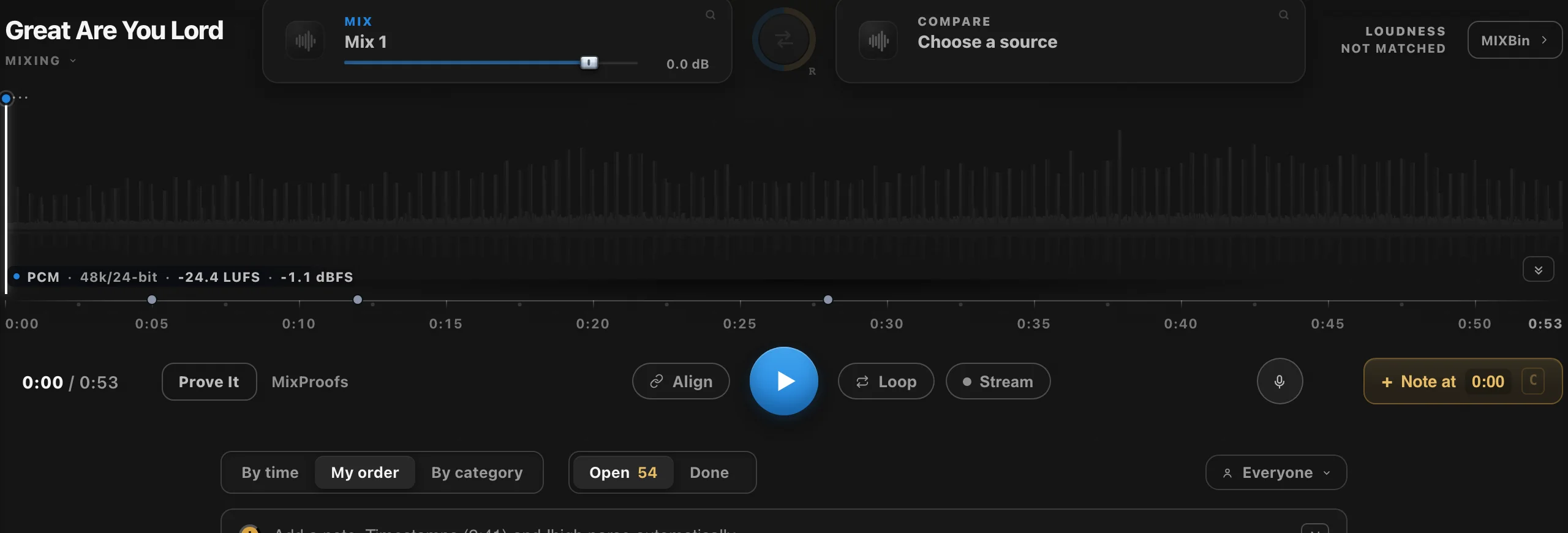 3 screens · click to view
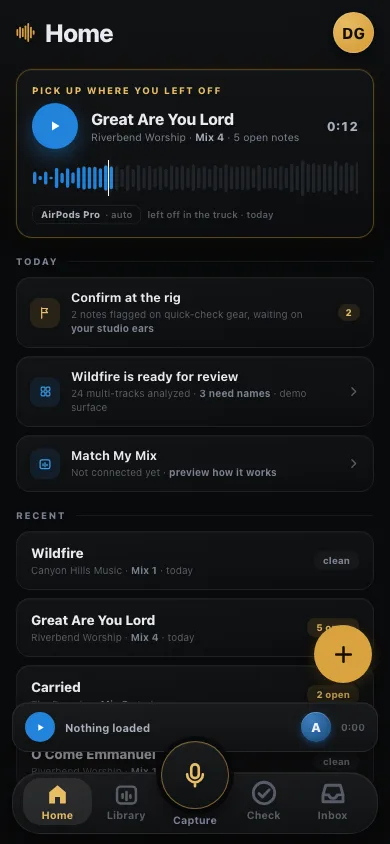 in development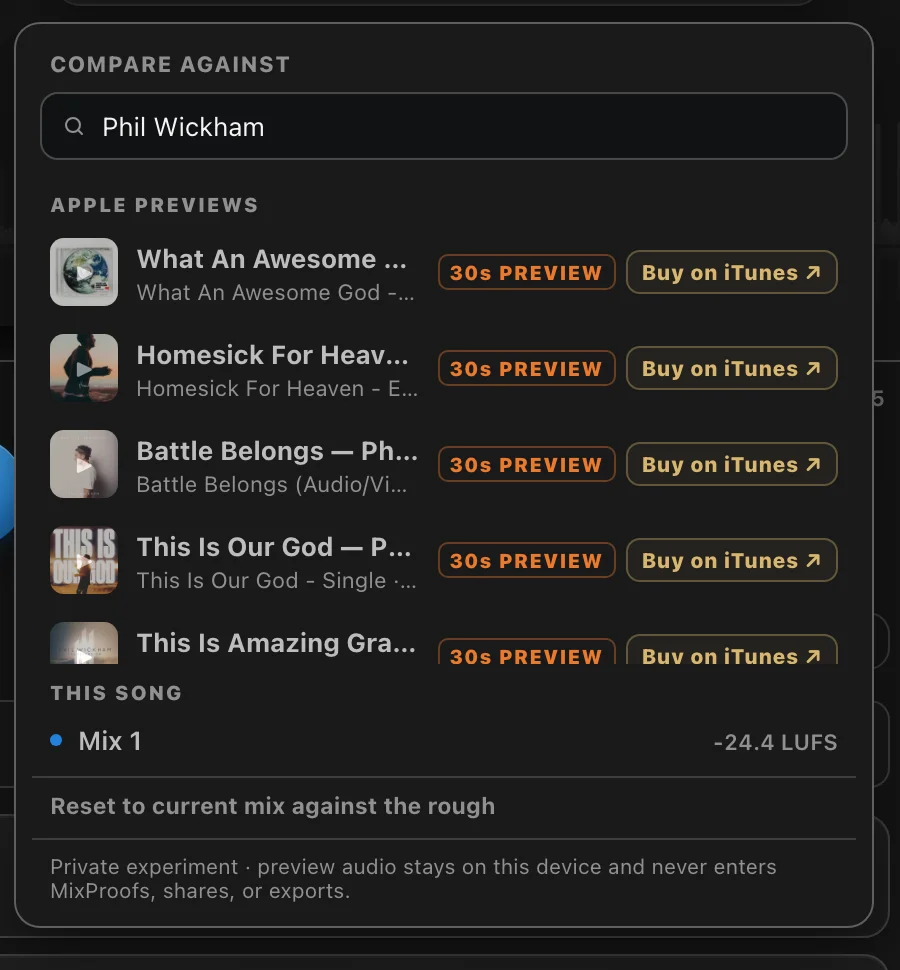
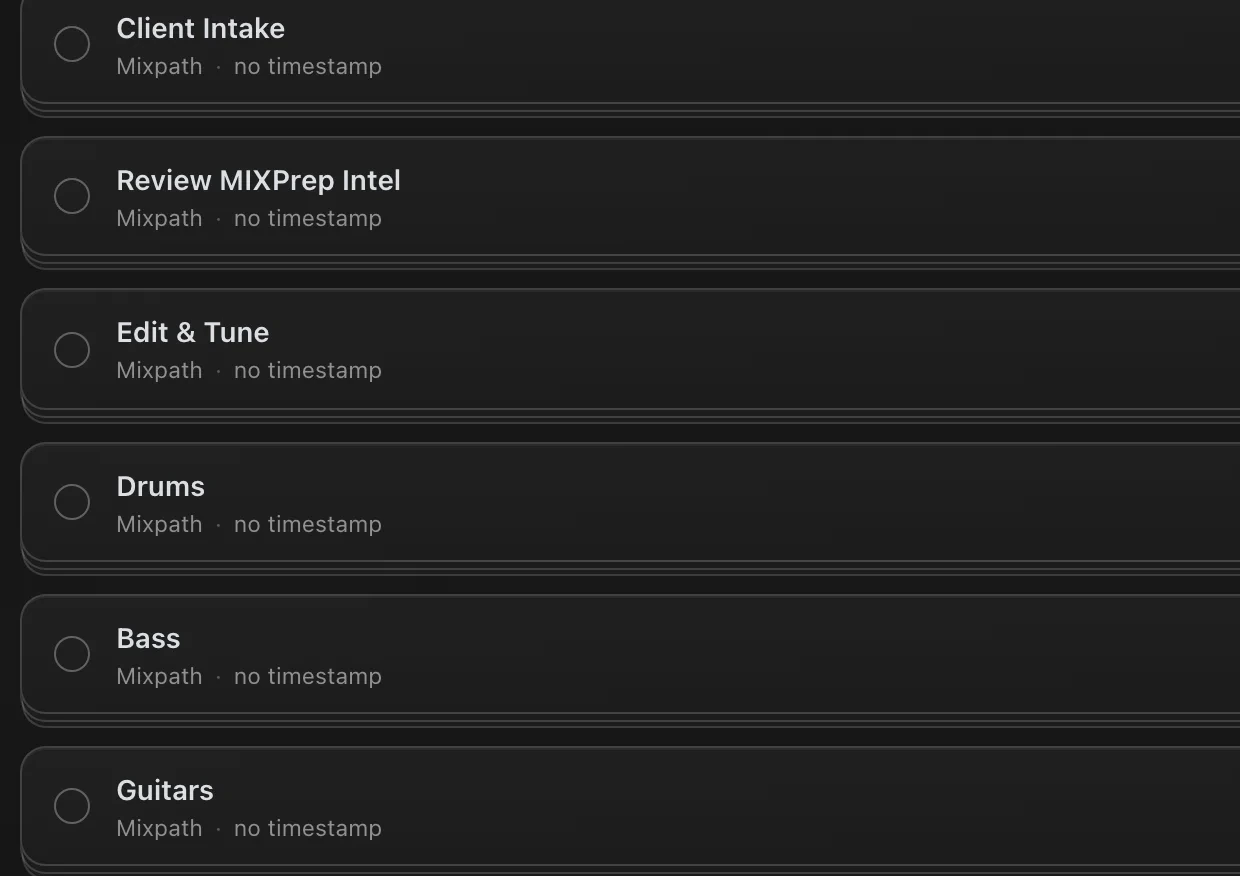
Voice memos transcribe on your machine, offline, and "Play what you said" keeps the take. Note dots mirror Pro Tools' real 69-colour palette exactly, with custom DAW palettes coming. in development client text in any language splitting, translating and filing itself, and a phone companion for capture anywhere.
MIXNotes ships with the free 2.1 update, Mac first. Included in the Pro layer, at today's Pro price.
From the audio itself. Key changes included. No metadata guessing, no manual BPM tapping.
Export a MIDI key map from the detected key and key changes. Load it into any pitch tool. Skip the scale setup.
MIXPrep measures where your kick, bass and low synths are fighting each other for the same frequencies, so you know the clash before you open an EQ.
170+ audio terms in 15+ languages. Track names from anywhere in the world come out readable.
Core processing is 100% local, and MIXPrep works on organized copies, never your originals. For NDA sessions, stay in default mode and you're fully air-gapped.
Custom category order and colors, processing and gain targets, export and Send to DAW defaults. Every session comes out the way you work.
You know the email. "Sounds great, maybe the vocal in the second chorus, also that thing around two minutes." Then you sit there scrubbing, trying to find what they meant. Share sends your client a page instead of a file.
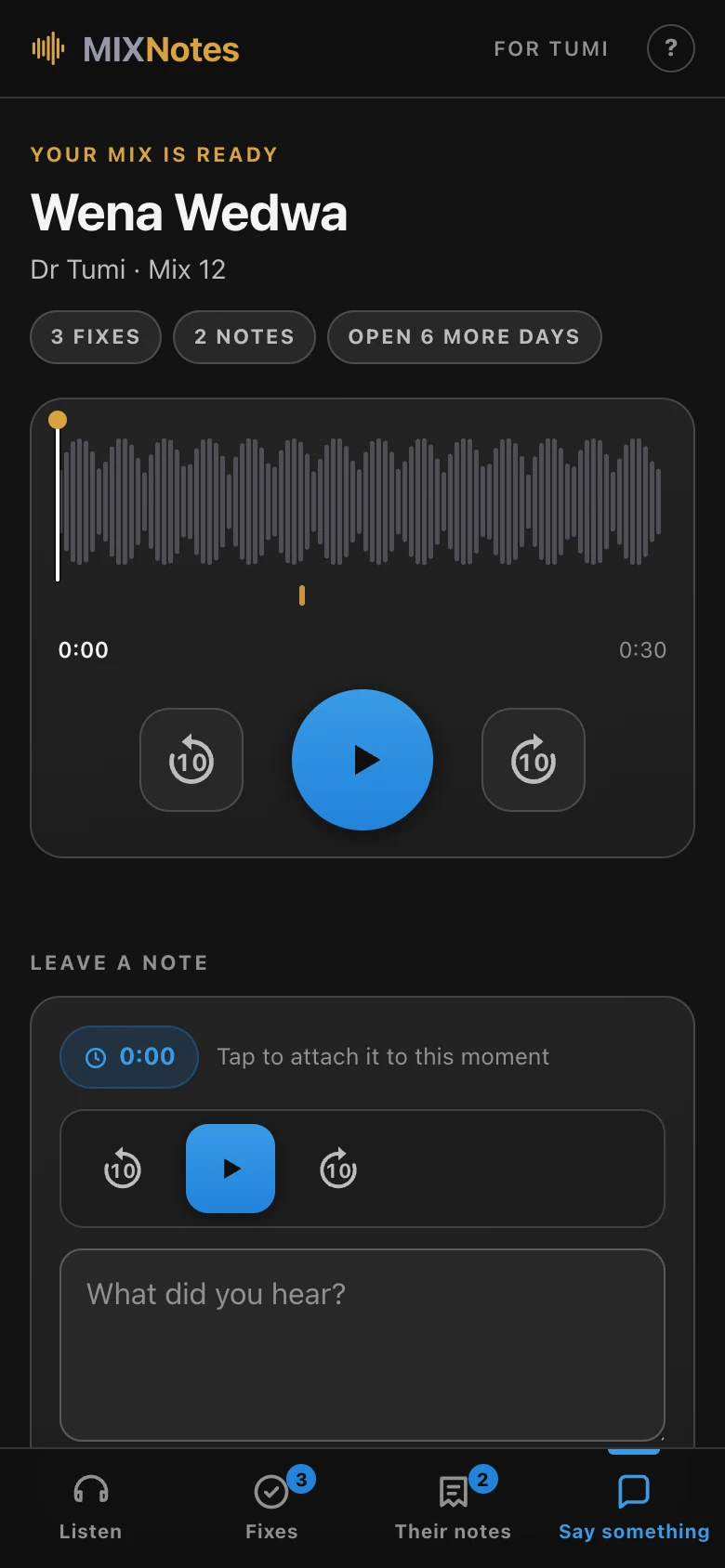 in development
Straight with you: the service is live and I am using it on real client work, but it is still behind a beta gate and is not switched on for everyone yet. It arrives for Pro after MIXNotes lands. The screen above is a real share page for a real mix, not a mockup.
"Why am I still spending the first hour of every mix doing work that doesn't require my ears?"The question that started MIXPrep. David Glenn · multi-platinum mix engineer · mixing for 20+ years
Not a product that appeared out of nowhere with a launch video. Here is the actual path, and where it goes next.
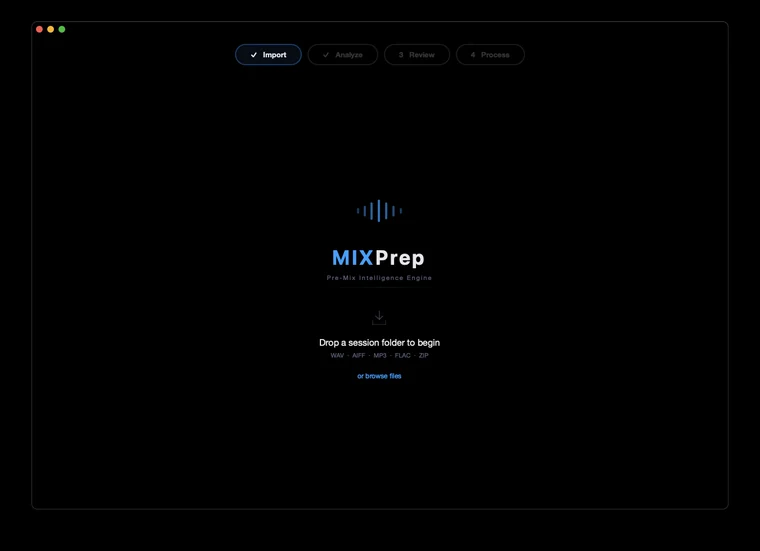
3,400+ commits since the first line of the rebuild. Most of them at night, after the sessions were done.
I'd rather tell you exactly what's solid and what's still cooking than pretend it's all finished. Engineers can smell vaporware. Here's the honest map.
TrackSense categorization, Clean Names, SMART Gain staging, the full prep and process, and Send to DAW. This is the core, and it does the heavy lifting on real sessions right now.
MIXPrint, MIXRef Pro, MIXBrief Pro, and the Send to DAW live inject. They work, and they're good. They're also improving fast, and your feedback shapes where they go next.
MIXNotes ships with 2.1 on Mac first. Founders on the Pro layer get it the day it lands, at today's price.
PhaseSync (automatic phase alignment for multi-mic'd kits), MIXNotes client share links, and the Reaper live inject.
You're not buying a frozen product. You're locking founder pricing on a tool that improves constantly, with a direct line to me when something's off. macOS 14+ on Apple Silicon is the production build. Intel Mac and Windows are in beta.
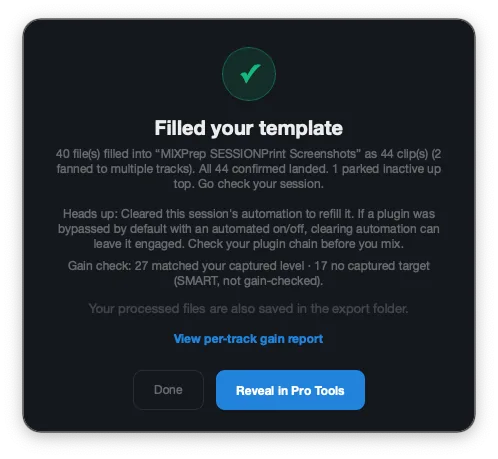
Your prepped, gain-staged session gets built directly into the template you already mix in. You watch the clips land.
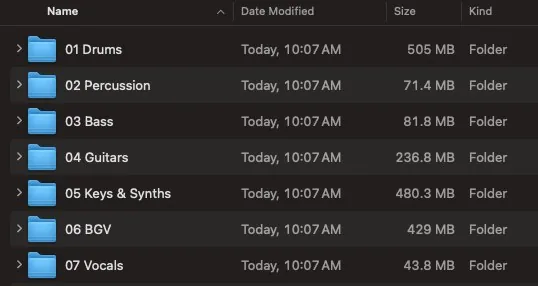
Named, organized, gain-staged copies, plus a session file your DAW imports. Drop it in and start mixing.
Export uses AAF for Logic, Cubase, and Studio One, plus Reaper's own native session format. Live inject for Reaper is on the way. Pro Tools live inject is in beta now.
The whole stack, row by row. No fine print.
Through August 31 you own MIXPrep outright for a single payment, updates included, no monthly bill ever. On September 1 the Pro suite moves to subscription pricing for new customers. What you buy today stays yours, at today's price, for good.
Do the math an engineer does: 60 to 90 minutes back per session. Mix twice a week and that's 100+ hours a year. Either tier pays for itself inside the first week of real sessions.
Everything that runs on your machine. Drop a folder, get a prepped session. That simple.
Everything in Core, plus all four instruments: references, session intelligence, MIXNotes, and the feature that drops your session straight into Pro Tools.
The Control Room is my membership: the full course library, live mixing sessions and replays, and a community of engineers leveling up together. On its own it runs $297 a year. During the founders window, two bundles fold it in with Pro:
Everything in Pro, plus 12 months of every course, live session, and replay. Includes the private beta team, early builds, and the monthly Founders call with David.
Get Pro + a year of Control Room →Everything in Pro, plus permanent Control Room access. Every course, every live session, every future course. No renewal, no expiration, ever.
Get Pro + Control Room for life →The math is not subtle: the Control Room alone is $297 a year. The lifetime bundle is $497 once, with the entire Pro suite included.
Founding Advisor · 10 seats, application only · $1,497 once. Lifetime access to every TMA tool we ever ship, a private monthly session with David, a 90-minute 1-on-1 mix critique, a 5x-weighted vote on the roadmap, and your name in the app credits. This one is by application, not checkout: I want to know who is in the room. Tell me what you're working on at david@themixacademy.com and I'll come back to you personally.
Already bought in at a lower tier and want to move up? Email support@themixacademy.com and we'll credit what you paid.
Watch me mix real records live, ask questions while the faders move, and learn the craft from the full course library. MIXPrep handles the first hour of the session. This is for everything after.
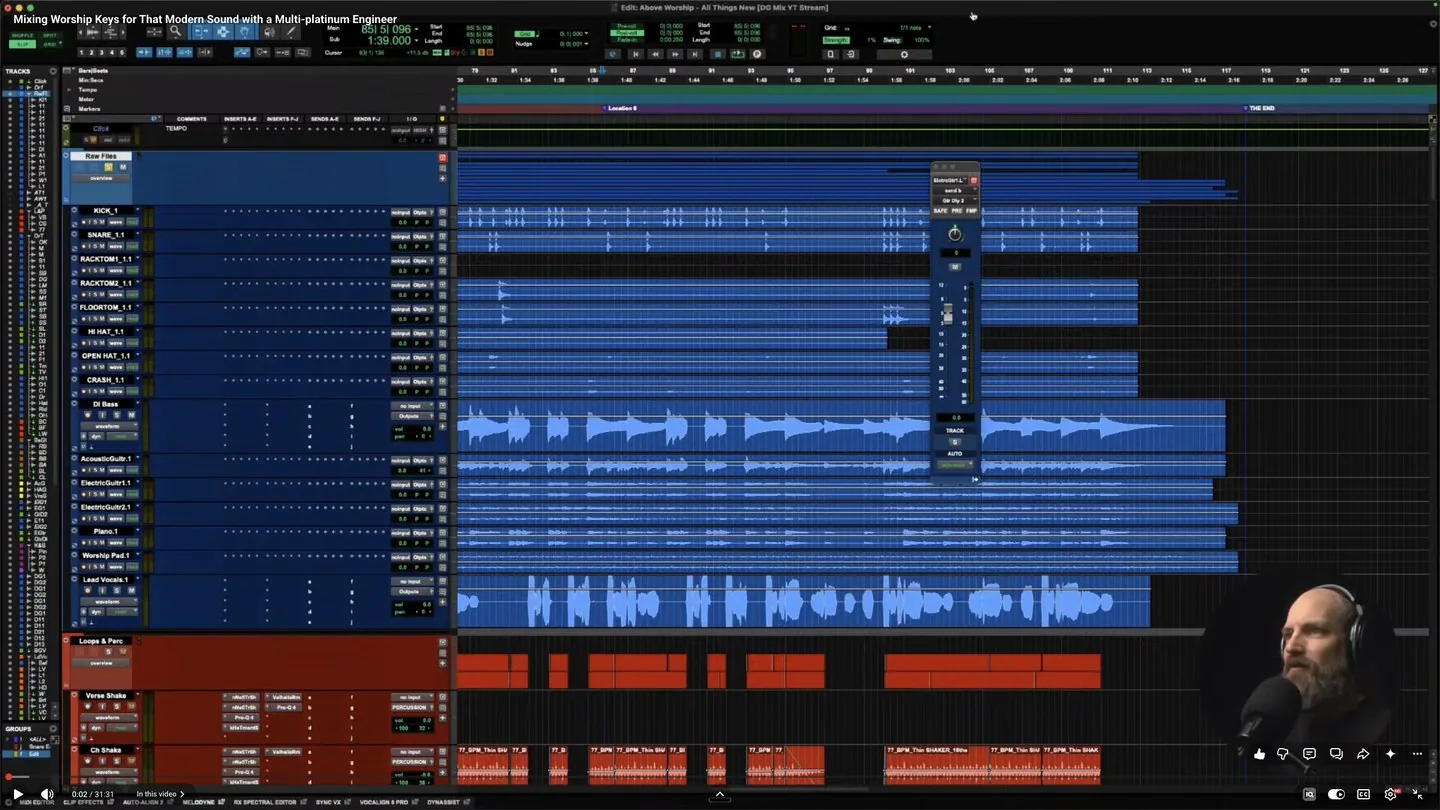

Asked on the Made It In Music podcast to name one YouTube channel for mixing
“There’s this guy, David Glenn. His stuff sounds really good. He’s one guy where it’s like, oh, this sounds good immediately.”
Doug Weier. 3x Grammy nominated. 21 Billboard #1 singles.
Chris Tomlin, MercyMe, Walker Hayes. ·
hear the episode

After a Mixing Discipleship session
“It was night and day different. Night and day. It was huge.”
Lucas. Produce Perform, worship music production.
7,800 subscribers.
Eight records from my chair. Every card plays the flip.
Eight finished mixes from my chair. Records like these are what members open in the Control Room, multitracks, templates, and sessions included, and mix start to finish.
This is the standard the room teaches. The full course library, the live sessions, and the templates and session files behind the teaching all come with membership.
On its own the Control Room is $297 a year. During the founders window, both of these include the entire MIXPrep Pro suite on top, for one payment.
The same price as the membership on its own. The Pro suite comes along for nothing.
Cheaper than two years of the membership, and it never expires.
Just want the app? MIXPrep Core is $97 and Pro is $247, one-time, no membership required. The Control Room is here whenever you want me alongside you.
"David Glenn is one of the most talented mix engineers I've worked with. His ability to teach what he does and break it down for others is a rare gift. If you want to get better at mixing, this is where you go."
 John James · Former lead singer of Newsboys, multi-platinum recording artist
"I have a degree from Full Sail, and David Glenn's training has given me more workflow clarity and practical mixing skill than my entire formal education."
 Tom Camp · Full Sail graduate and mix engineer
"I've made 20 times what I invested in The Mix Academy back in mixing income. The ROI isn't theoretical. It shows up in real client work."
 Scott Osterloh · Professional mix engineer
"Your content helped me change my life. My mixing greatly improved while getting faster and more consistent, and that edge helped me beat nearly 300 applicants for my full-time game audio job."
NZNick Zwirlein · Game audio composer
"I'm able to put food on the table for my family and keep a roof over our heads because of you and your tutorials."
GYGybriel · Gospel / keys mixer
"I was almost going to quit mixing. Then I saw David's tool for arranging tracks, told myself I'd try one more time, and subscribed."
DMDanny Miller · Control Room member
"All your programs have consistently helped me take my mixes to the next level. Customer for life!"
SLSteve Lambiase · Repeat customer
"I love your courses. They're very informative and have confirmed many of my longtime techniques. I've been mixing and mastering for over 40 years."
EAErnest Allen · Engineer, 40+ years
"David's template + tutorial was insane. The way he explains things is second to none. My confidence shot up immediately."
KTKevin T. · Engineer / producer
xattr -cr /Applications/MIXPrep.app then open normally. One time only. MIXPrep runs entirely on your machine, your audio files never leave your computer.
I'm David Glenn. Mix engineer, founder of The Mix Academy. Over 20 years mixing professionally, teaching engineers the whole way. I stepped away for a season, life, health, all of it. When I came back, able to work again, I hit a snag I didn't expect.
The prep tool I'd used on every session for years wouldn't even open. Just dead. And it forced a question I couldn't ignore: why am I still spending the first hour of every mix doing work that doesn't require my ears?
Renaming tracks. Sorting multitracks. Fixing gain staging. Trying to make sense of someone else's session. That's not mixing. But it's where all your best energy goes.
So I started building a small utility, just enough to handle gain staging and mono conversion. That was the plan. Then the hyperfocus kicked in. One fix turned into another, and pretty soon it wasn't a tool anymore. It was a system. Every feature built around one idea: get the grunt work done before the creative decisions start.
Here's the part that still gets me. My very first course, back in 2011, was called "The Mix Prep Series." Gain staging. Session organization. The fundamentals. Fifteen years later, the thing I was teaching became the thing I'm shipping. Same fundamentals, different form. Full circle.
There have been more health setbacks since. More than one piece of this thing got built on the way back out of one. It's live, it works, and God is good.
I built this because I needed it. I'm sharing it because I think you need it too.
Drop a folder. Get organized files, category-aware gain staging, and your session's key, tempo, and track breakdown. Start mixing instead of prepping.
macOS 14+ (Apple Silicon) · Intel Mac & Windows in beta · 30-day money-back guarantee · Founders pricing locked for life